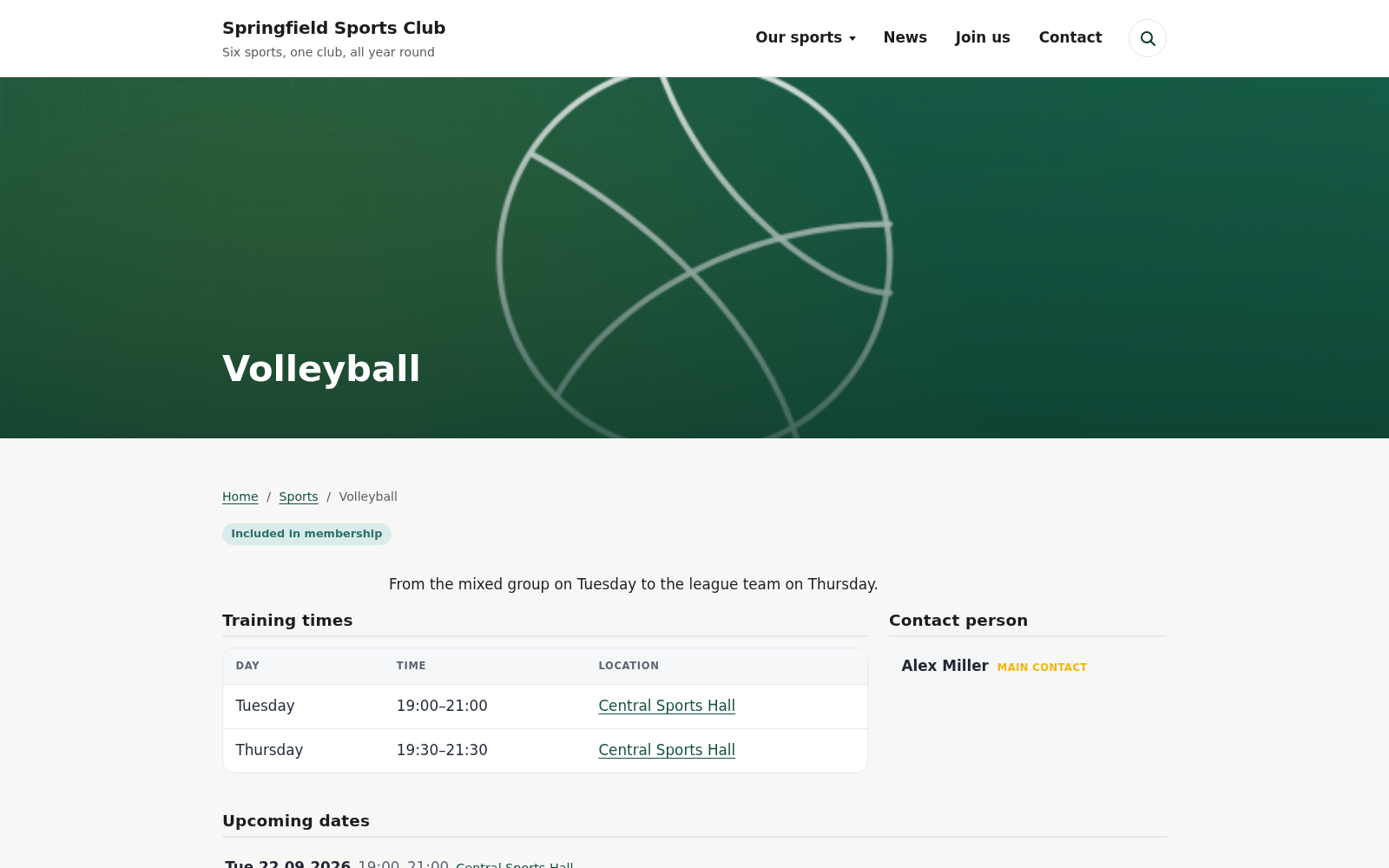
A WordPress plugin for sports clubs. It handles training times, the people of the club, venues and events. Nobody types the individual dates; they come out of the schedule. School holidays take themselves off the calendar.
Plays in a league? See a football club with teams, squads and fixtures
The everyday problem
Training times live in a PDF someone exported last year. The summer break is still not on the calendar. A session is cancelled at short notice and the only place it appears is a WhatsApp group. The person who knows when the hall is free is away for three weeks.
None of that is a design problem. It is what happens when every date has to be typed by hand, in more than one place, by people who fit this around a job and a family.
How it works
Squadeno keeps one source of truth per sport. Everything else follows from it: the public page, the club calendar, the upcoming-dates list, the structured data for search engines.
Tuesday, 6 pm, gym hall, September to June. You enter that once per group. Every individual date follows from it, for this season and the next. Not weekly? Every second week or the last Saturday of the month works the same way, and a course over ten sessions stops on its own.
Enter the school holidays and hall closures centrally. Affected sessions disappear from every calendar automatically. Holiday camps and events stay visible.
A session is cancelled, moved, or an extra one is added. You handle that on the date itself. The change then shows up everywhere that sport appears, and you never open a page to do it.
And if you compete: teams are subgroups of a sport — each with its own squad, its own league and fixtures on a date that reach the calendar subscription. Switch it on in the settings; without the switch you see none of it.
What visitors and editors see
Clean URLs, internal linking between sport, person and venue, plus schema.org structured data. A search for “kids gymnastics” in your town then has somewhere to land. The people of the club live in one place too: trainers and board members are one record each, and the office says what someone does.
Click any screenshot to enlarge it.
Honest fit
Maps are opt-in. While the map provider is set to “none”, which is the default, the plugin contacts no external server. That holds for the public site and for the admin area alike. The Leaflet map library is bundled and served from your own server, never from a CDN. Nothing is tracked and nothing is measured. Spam protection runs on a honeypot and a time trap and needs no outside service; Cloudflare Turnstile can be switched on, but nothing depends on it.
Questions
Yes, and at three levels of trust per assignment: full editing of their sport, read-only (they appear as a contact but have no admin access), or dates-only. For the last case there is a slim box that lets them call off, move or add a single session and nothing else. The default is the most restrictive one.
Yes. There is one record per person, whatever they do for the club, and an office says what that is: trainer, chair, treasurer, membership records. Offices can sit in committees, so an executive and an extended board come out in the right order, which alphabetical sorting would not manage. A board page is then an ordinary page with one block on it, filtered to the board offices. Anyone who coaches and sits on the board is entered once and appears in both places.
Yes. A training time repeats every week by default, but it can just as well run every two, three or four weeks, or fall on a set weekday of the month — the second Saturday, the last Friday. And it can end: on a date, or after a set number of sessions. A beginners’ course over ten sessions stops after the tenth and the calendar goes quiet. A closure does not use one of those ten up: if the hall is shut over the holidays, the course runs a week longer. Once the end has passed, the training time drops off the sport’s page — the entry stays, so you can run the course again next term.
Yes, once you switch competitive play on in the settings — before that you see none of it. A team is then a subgroup of its sport, with its own page, its own training times, its own squad and a league field linking to the association’s table. On a date you enter the opponent and home or away; both reach the calendar subscription. A club with a single sport creates its age groups as the sports — under-11s, women, men. What the plugin deliberately does not do: calculate a table of its own or keep results. The association’s table is the one that counts, and a match report is an ordinary post.
Permissions come in two layers. Club-wide there are five task packages, ticked in the person record: own profile, trainer, club administration, dates, and public relations. On top of that a trainer is tied to the sports assigned to them, with a level per assignment. Only the club administration may delete content, and nobody can pass on a package they do not hold themselves. Everything else in WordPress stays untouched: no package opens plugins, themes, users or the settings.
The setup assistant takes you through it: scope, the overview pages, venues, people, age groups, sports, and a closing step; if your club plays in a league, the positions come in as well. It creates what you type in, and each step offers up what the previous one produced. At the end you do not have an empty structure but a sport with a trainer, a venue and a training time, which the calendar already turns into dates. If you would rather start on your own, skip it: the checklist stays and shows what is still missing.
Yes. The demo starts a complete WordPress in your browser, with the plugin, the matching theme and a demo club already set up. Nothing lands on your computer and nothing is kept; closing the tab ends it. Switch the calendar between month, week and the weekly training plan, open a sport, or change a training time in the admin area and watch every calendar follow. You are logged in as an administrator, so the Customizer is open to you as well.
Yes. Output goes through shortcodes and blocks, so it drops into any theme, block or classic. There is a block for every list: sports, calendar, upcoming dates, people, events and venues. The styling uses its own prefixed classes and a brand colour you can set. If you have no theme yet, the Squadeno theme was built for this plugin and needs no setup to show your sports.
Yes. The URL bases default to English (sports, people, …) and can be changed per site in the settings, to German for example. The interface itself ships in English with a complete German translation; other languages can be added via the bundled translation template.
They work alongside it. Computed dates are cached internally and invalidated whenever something changes, so a page or object cache on top only makes it faster.
Yes, and most improvements so far came out of everyday club use rather than a roadmap. The plugin keeps growing. If something is missing for your club, or would have to work differently, write to me. I will listen, and there is usually a way.
Nothing. It is free software under the GPL, published in the WordPress plugin directory. There is no paid tier and no upsell built into the plugin. If you would rather not set the website up yourself, you can ask me about installation, design and upkeep as a service. The plugin itself stays free either way.